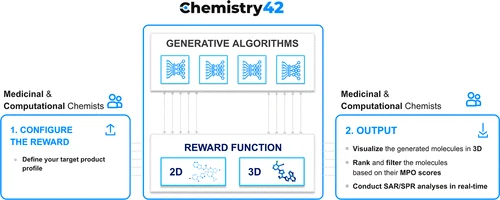
In 2026, chemistry is no longer just about textbooks, formulas, and lab experiments. Students are now using AI-powered molecular modeling tools to visualize atoms, simulate reactions, and understand complex chemical structures in a much easier way.
These tools are changing how students learn organic chemistry, biochemistry, and physical chemistry, especially when it comes to molecular structures and interactions.
In this guide, we’ll explore the best AI tools for chemistry molecular modeling for students, how they work, and which ones are worth using. Platforms like bizmetech.site are also helping students understand these advanced tools in a simple, beginner-friendly way.
What is Molecular Modeling in Chemistry?
Molecular modeling is the process of using computer-based simulations to represent molecules and study their behavior.
It helps students:
- Visualize 3D molecular structures
- Understand chemical bonding
- Predict reactions and interactions
- Analyze molecular geometry
Now, with AI, this process is faster, more accurate, and much easier for students.
Why AI is Important in Chemistry Modeling (2026)
Traditional molecular modeling required:
- Advanced software skills
- High computing power
- Manual calculations
But AI has changed everything.
Now AI tools can:
- Generate molecular structures instantly
- Predict chemical reactions
- Simulate real-world lab results
- Explain chemical behavior in simple terms
This makes learning chemistry more interactive and less stressful.
Best AI Tools for Chemistry Molecular Modeling (2026)
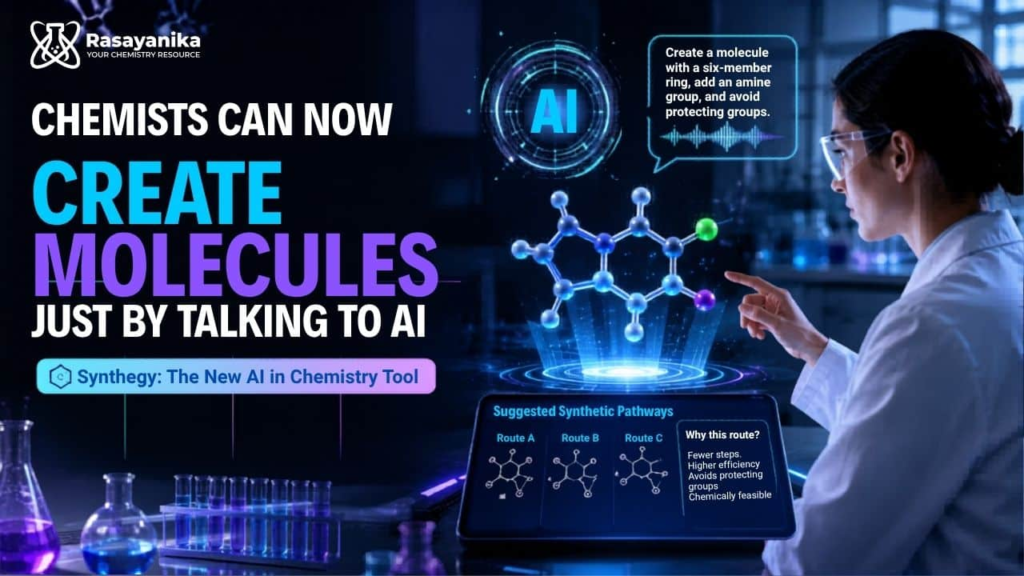
Let’s look at the most useful tools students are using today.
1. Avogadro – Best Open-Source Molecular Editor
Avogadro is one of the most popular tools for building and visualizing molecules.
Key Features:
- 3D molecular structure visualization
- Chemical editing tools
- Support for quantum chemistry calculations
- Open-source and free
Best for: Students learning basic to advanced molecular structures
It feels like a digital chemistry lab inside your computer.
2. ChemDraw – Best for Chemical Structure Drawing
ChemDraw is widely used in academic and research environments.
Key Features:
- Professional chemical structure drawing
- Reaction pathway visualization
- AI-assisted structure recognition
- Export for research papers
Best for: Students preparing assignments and research reports
It’s basically the industry standard for chemistry diagrams.
3. Gaussian – Best for Advanced Molecular Simulations
Gaussian is a powerful computational chemistry tool used for high-level simulations.
Key Features:
- Quantum chemical calculations
- Reaction energy prediction
- Molecular stability analysis
- High-accuracy simulations
Best for: Advanced university and research students
It’s complex, but extremely powerful for deep chemical analysis.
4. MolView – Best Free Web-Based Modeling Tool
MolView is a simple browser-based molecular modeling tool.
Key Features:
- 2D and 3D molecule visualization
- No installation required
- Easy interface for beginners
- Chemical database integration
Best for: Beginners and high school students
It’s super easy—just open and start building molecules.
5. RDKit – Best AI Toolkit for Chemical Informatics
RDKit is a Python-based library used for AI-driven chemical modeling.
Key Features:
- Machine learning integration
- Molecular fingerprinting
- Chemical data analysis
- Drug discovery support
Best for: Students interested in AI + chemistry research
It’s more technical but extremely powerful for future chemists.
Comparison Table: AI Chemistry Molecular Modeling Tools
| Tool | Type | Difficulty Level | AI Features | Best For |
|---|---|---|---|---|
| Avogadro | Molecular editor | Easy | Basic | Beginners |
| ChemDraw | Structure drawing | Medium | Medium | Academic writing |
| Gaussian | Simulation software | Advanced | Strong | Research students |
| MolView | Web tool | Very Easy | Basic | School students |
| RDKit | AI chemistry toolkit | Advanced | Very Strong | AI research |
Step-by-Step Guide: How Students Can Use AI Molecular Modeling Tools
Here’s a simple workflow students in 2026 can follow.
Step 1: Start with Simple Visualization
Use MolView or Avogadro:
- Build basic molecules
- Learn bond structures
- Understand geometry
Step 2: Move to Chemical Drawing
Use ChemDraw:
- Draw reactions
- Create assignment diagrams
- Label structures clearly
Step 3: Analyze Molecular Behavior
Use Gaussian or RDKit:
- Predict reaction outcomes
- Analyze molecular energy
- Run simulations
Step 4: Combine Learning with AI
Ask AI tools to:
- Explain molecular behavior
- Summarize reaction steps
- Suggest corrections
Step 5: Apply in Assignments
Use outputs for:
- Lab reports
- Research projects
- Chemistry presentations
Pros and Cons of AI Molecular Modeling Tools
Pros:
- Visual learning made easy
- Faster understanding of chemistry
- Useful for assignments and research
- Reduces manual calculation effort
Cons:
- Some tools are complex
- Requires practice to master
- Advanced tools need strong systems
Still, benefits are huge for students in 2026.
Common Mistakes Students Make
Even with AI tools, students often:
- Rely only on visuals without understanding concepts
- Skip learning chemical theory
- Use advanced tools too early
- Don’t verify simulation results
And honestly, sometimes students rush the proccess and just copy diagrams without learning how molecules actually behave.
That’s where real understanding gets weak.
Why AI Molecular Modeling Matters in 2026
In 2026, chemistry education is becoming highly digital. Students are expected to:
- Understand molecular behavior visually
- Use simulation tools for learning
- Apply AI in scientific analysis
That’s why AI tools for chemistry molecular modeling for students are now essential, not optional.
Platforms like bizmetech.site are also helping students discover these tools and understand how to use them effectively in academic and research work.
Which Tool Should Students Choose?
Here’s a simple breakdown:
- If you are a beginner → use MolView or Avogadro
- If you need academic diagrams → use ChemDraw
- If you are into advanced research → use Gaussian or RDKit
There is no single best tool—it depends on your learning level.
Final Thoughts
AI has completely transformed how chemistry is learned in 2026.
Tools like Avogadro, ChemDraw, Gaussian, MolView, and RDKit are helping students move from theory to real visualization and simulation.
But remember one thing: AI can show you molecules, but understanding chemistry still depends on you.
So use these tools wisely, practice regularly, and don’t just rely on visuals—build real understanding step by step. And with the right approach, chemistry becomes not just easier… but actually enjoyable 👍