Physics can be exciting… but let’s be honest—it can also be very confusing. From quantum mechanics to electromagnetism, sometimes even the smartest students get stuck.
That’s where AI tools come in.
In 2026, students are no longer relying only on textbooks. With the help of tools like Wolfram Alpha and Perplexity AI, solving complex physics problems has become faster, smarter, and honestly a bit less stressful.
In this guide by bizmetech.site, we’ll explore the best free AI tools you can use—and how to actually use them effectively.
Why Use AI for Physics?
Physics isn’t just about memorizing formulas. It’s about understanding concepts and applying them correctly.
AI tools can help you:
- 🧠 Break down complex concepts into simple explanations
- 🧮 Solve numerical problems step-by-step
- ⏱️ Save time during assignments and revision
- 🔍 Explore different approaches to the same problem
But remember—AI is here to assist, not replace your thinking.
Top Free AI Tools for Physics Students
Let’s go through the most useful tools available right now.
1. Wolfram Alpha
Wolfram Alpha is one of the most powerful tools for solving physics problems.
What it does:
- Solves equations step-by-step
- Handles calculus, algebra, and physics formulas
- Provides graphs and visualizations
Best for:
- Mechanics problems
- Electromagnetism calculations
- Mathematical derivations
👉 It’s like having a supercharged calculator that actually explains things.
2. Perplexity AI
Perplexity AI is great for understanding concepts, not just solving problems.
What it does:
- Explains physics topics in simple terms
- Provides answers with sources
- Allows follow-up questions
Best for:
- Conceptual clarity
- Quick summaries
- Research-based questions
3. ChatGPT
ChatGPT is widely used by students worldwide.
What it does:
- Solves problems step-by-step
- Explains reasoning clearly
- Helps with derivations and theory
Best for:
- Learning difficult topics
- Practice problems
- Step-by-step solutions
4. Microsoft Math Solver
Microsoft Math Solver is simple but effective.
What it does:
- Solves equations via text or image
- Shows steps clearly
- Covers basic to intermediate physics math
Best for:
- Quick problem solving
- Homework checks
5. PhET Simulations
PhET Interactive Simulations offers interactive physics simulations.
What it does:
- Visualizes physics concepts
- Allows experimentation
- Makes learning more interactive
Best for:
- Understanding concepts like circuits, waves, and forces
Comparison Table: Best AI Tools for Physics
| Tool | Best For | Key Feature | Free Version |
|---|---|---|---|
| Wolfram Alpha | Complex calculations | Step-by-step solving | Yes (limited) |
| Perplexity AI | Concept explanation | Source-based answers | Yes |
| ChatGPT | Problem solving | Conversational learning | Yes |
| Microsoft Math Solver | Quick solutions | Image input solving | Yes |
| PhET Simulations | Visualization | Interactive experiments | Yes |
👉 Pro tip: Don’t rely on just one tool. Combine them for better results.
Step-by-Step Guide: How to Solve Physics Problems Using AI
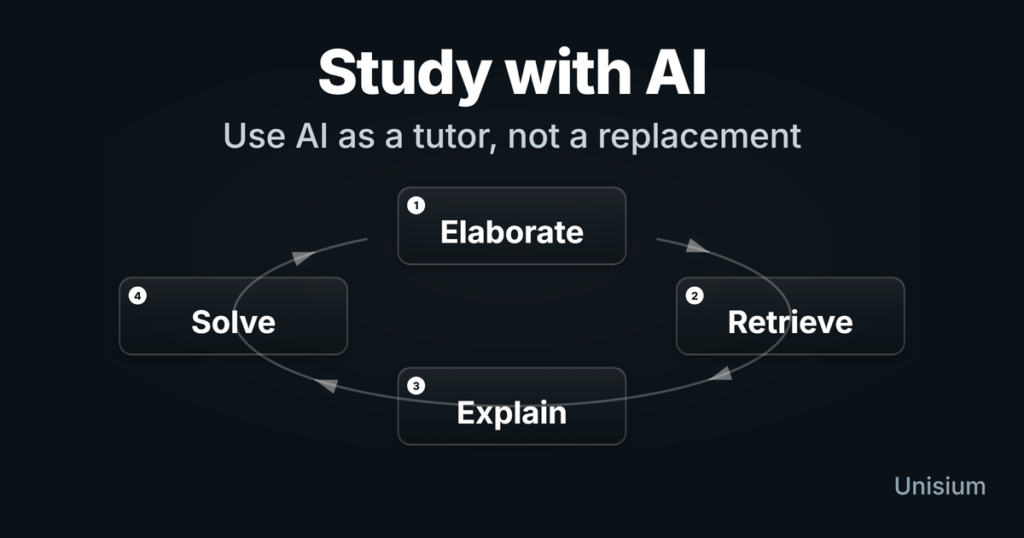
Here’s a simple workflow you can follow:
Step 1: Understand the Problem
Before using AI, read the question carefully.
Ask yourself:
- What is given?
- What is required?
Step 2: Use ChatGPT or Perplexity for Explanation
If the concept is unclear, ask:
“Explain Newton’s second law with examples”
This builds your foundation.
Step 3: Use Wolfram Alpha for Calculations
Enter the equation directly:
“Solve: F = ma where m = 5kg and a = 2 m/s²”
It will give you a detailed solution.
Step 4: Visualize with PhET (if needed)
For tricky topics like circuits or waves, simulations help a lot.
Step 5: Verify and Practice
Don’t stop at one solution.
- Try solving manually
- Compare answers
- Practice similar questions
This is where real learning happens.
Real Examples of AI in Physics Learning
Let’s look at how students actually use these tools.
⚡ Example 1: Solving Kinematics Problems
You can ask:
“A car accelerates from rest at 3 m/s² for 5 seconds. Find velocity.”
AI will:
- Apply formula
- Show steps
- Give final answer
🔬 Example 2: Understanding Quantum Mechanics
Ask:
“Explain wave-particle duality in simple terms”
Instead of textbook confusion, you get a clean explanation.
🔌 Example 3: Circuit Problems
Use simulations to:
- Build circuits
- Test voltage changes
- See real-time effects
It makes learning feel less abstract.
Smart Tips for Using AI in Physics
Here’s how to get the most out of these tools:
✔️ Ask Clear Questions
Bad input = bad output.
Be specific.
✔️ Combine Tools
Use:
- ChatGPT for explanation
- Wolfram Alpha for solving
- PhET for visualization
✔️ Don’t Skip Manual Practice
This is important.
AI can guide you, but your exam won’t.
✔️ Double-Check Answers
Sometimes AI makes small mistakes. Yes, it happens.
Common Mistakes Students Make
Let’s avoid these:
- ❌ Blindly copying answers
- ❌ Not understanding the steps
- ❌ Over-relying on AI
- ❌ Ignoring textbooks
This can slow down your learning proccess instead of improving it.
Are Free AI Tools Enough?
Short answer: Yes, for most students.
Free versions are powerful enough for:
- School-level physics
- Undergraduate studies
- Basic research
However, advanced users might need paid features later.
How bizmetech.site Helps You Learn Smarter
At bizmetech.site, we guide students to:
- Use AI tools effectively (not blindly)
- Choose the right tools for their needs
- Stay updated with the latest tech trends
In 2026, learning physics is not just about studying harder—it’s about studying smarter.
Final Thoughts
AI tools are changing how students learn physics. What used to take hours can now take minutes.
But here’s the thing…
AI won’t make you a physicist overnight. Your still the one who needs to think, practice, and understand.
Use these tools as your assistants—not shortcuts.
Start small. Try one tool today. Solve one problem.
And who knows… physics might actually start feeling easier 🙂